Checkout Page
Checkout Page
Checkout Page is a flexible payment page for the online shop. It allows the consumers to select their preferred payment method and affect their payments in real time while respecting all security standards.
| For PHP we provide an example code on GitHub. |
Process Overview in General
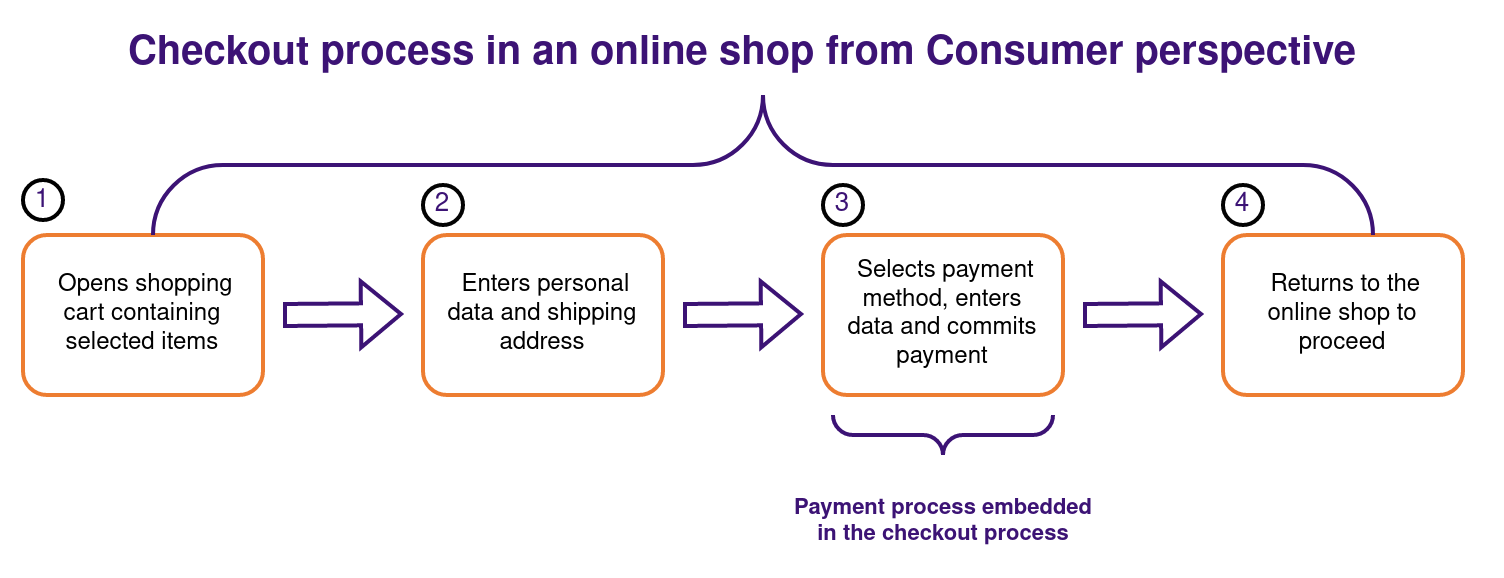
-
The consumer opens a shopping card that contains the previously selected items.
-
Enters personal data and the shipping address into the provided input fields of a form.
-
Selects one of the available payment methods enters the required payment method-specific data and commits the payment.
-
Receives relevant information on the result of the payment and returns to the online shop to proceed.
Process Overview for Checkout Page
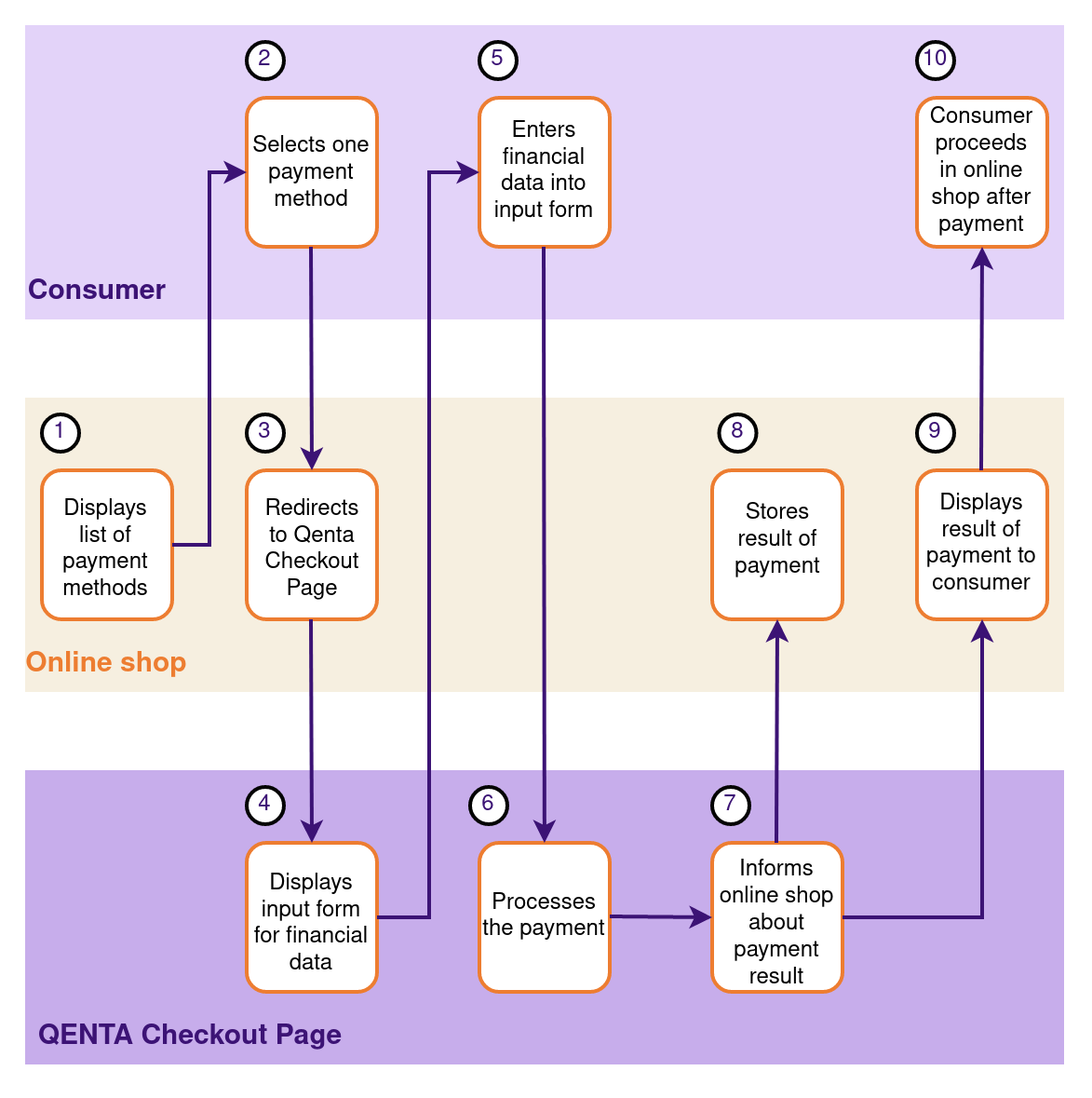
The payment process includes three parts:
-
Consumer
-
Online shop
-
Checkout Page
-
The online shop displays a list of available payment methods which are enabled for the online shop.
-
Then the consumer selects one of these payment methods.
Alternatively (to points 1 and 2), the payment method SELECT can be displayed in the online store, in which case the payment method is selected directly on the checkout page. -
The online shop redirects the consumer to Checkout Page hosted on the hobex Checkout Server.
-
Checkout Page displays an input form for entering payment data such as credit card number, expiration date, etc. to the consumer, and/or redirects the consumer to the financial service provider.
-
The consumer enters the required sensitive payment data into an input form and commits the payment by clicking a relevant button.
-
Checkout Page processes the payment and interacts directly with the consumer and the financial service provider.
-
Checkout Page informs the online shop about the result of the payment.
-
Then the online shop stores the result of the payment and triggers a manual or automated shipping process to send the purchased items to the consumer.
-
The online shop verifies the received payment result and displays to the consumer an appropriate page containing information on the result of the payment process.
-
After returning to the online shop the consumer proceeds with browsing or shopping for additional items in the shop.
Backend
Backend operations for Checkout Page are subdivided into two categories:
Transaction-based operations depend on existing orders and non-transaction-based operations don’t.
| Backend operations are an optional feature and to enable it, contact our sales team. |
Test
During test mode, there is communication between the online shop and a test area provided by the relevant financial service provider. The payment process is only simulated and no money is transferred.